

Generating an API Key
Login in to Dialpad
After logging in to Dialpad account, click Settings in the left navigation panel.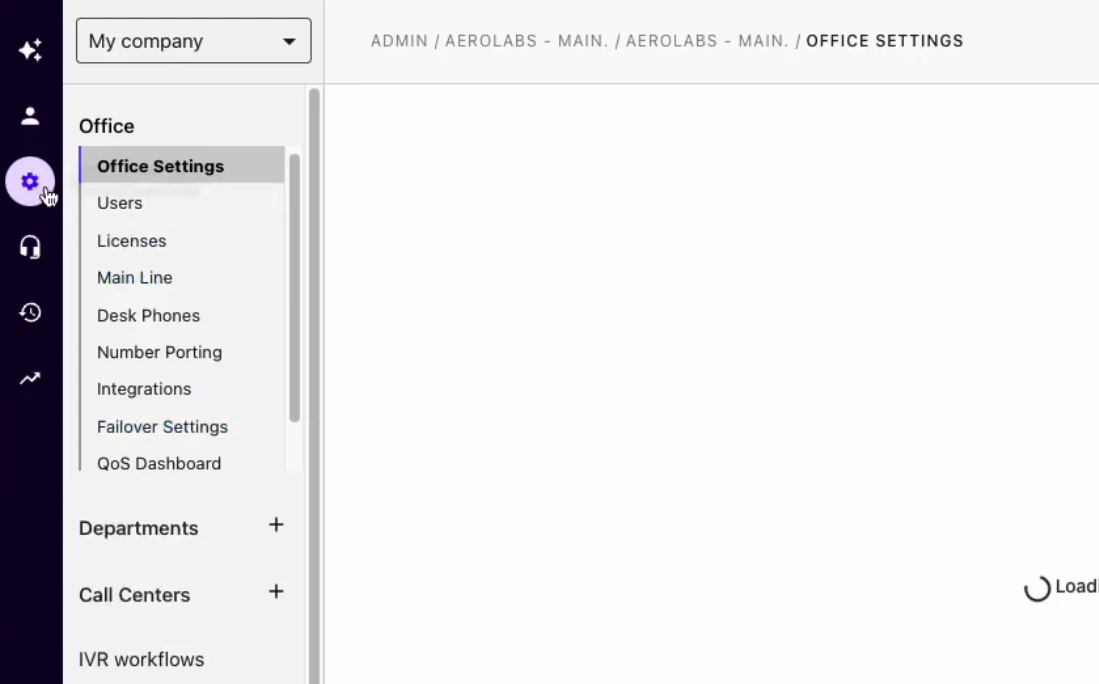
Select My company
Log in to your Dialpad account.Open Admin Settings and select My company.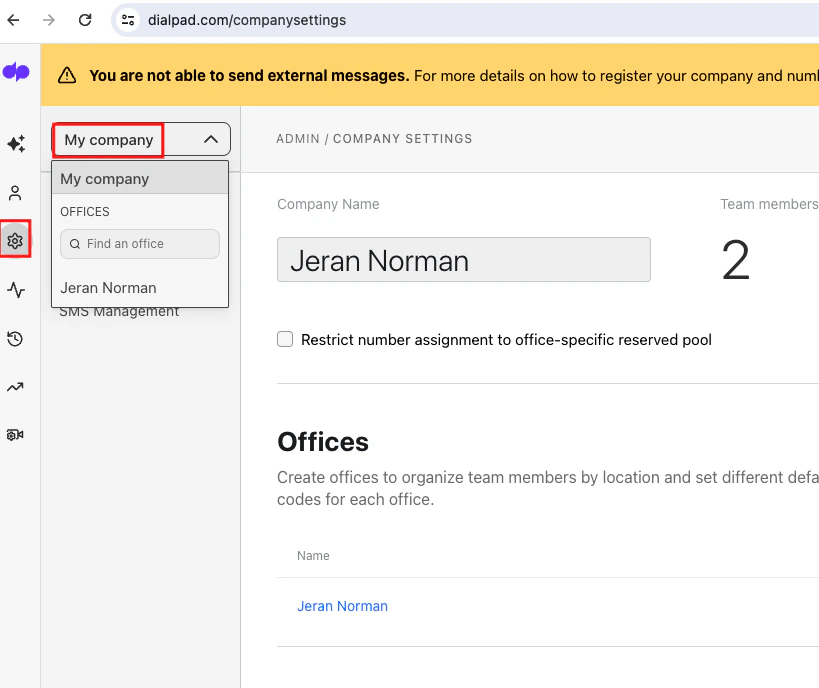
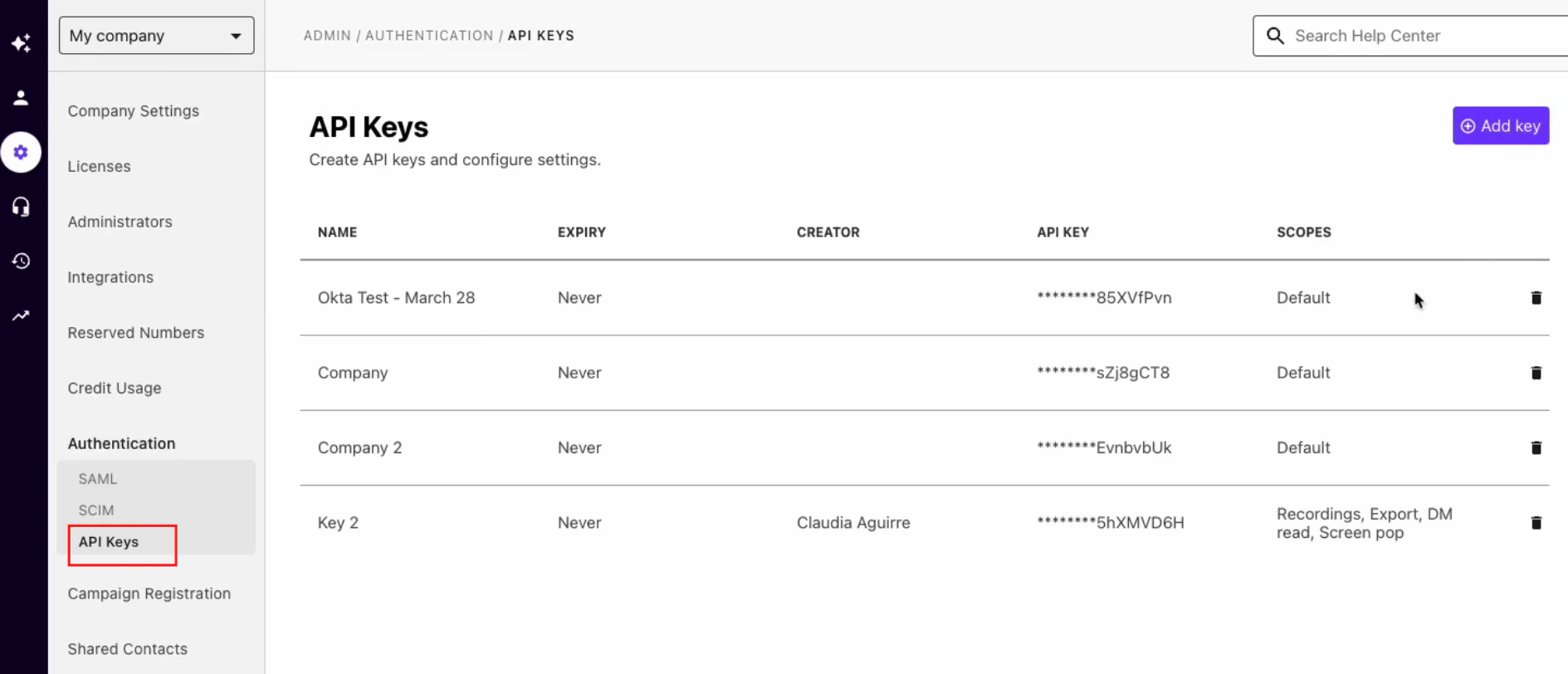
Add API Key
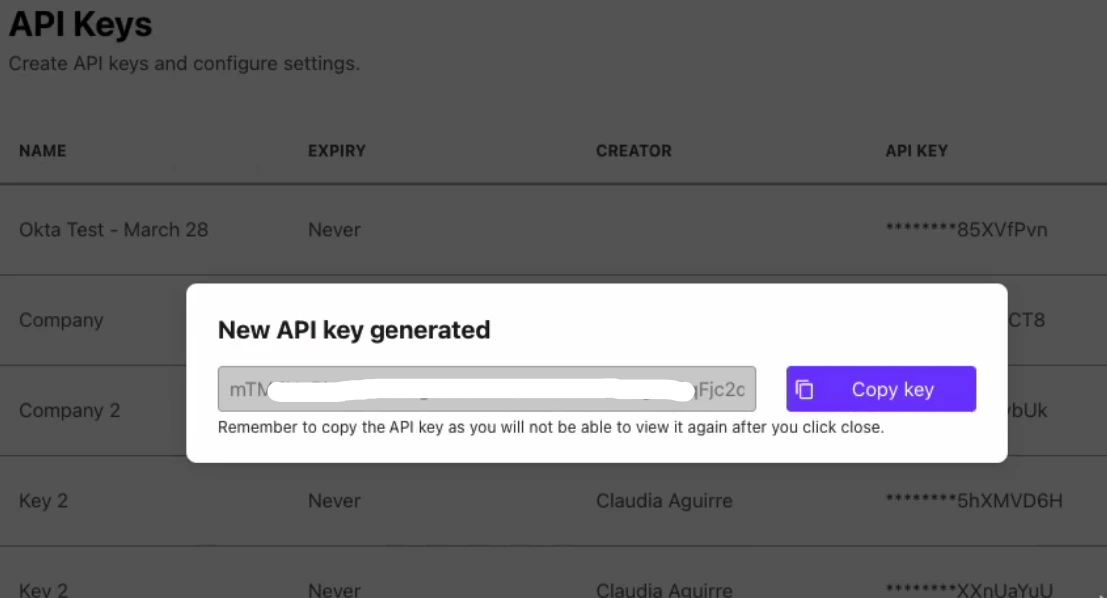
Click Add Key button, Name your key and set the expiration terms and click on Save button.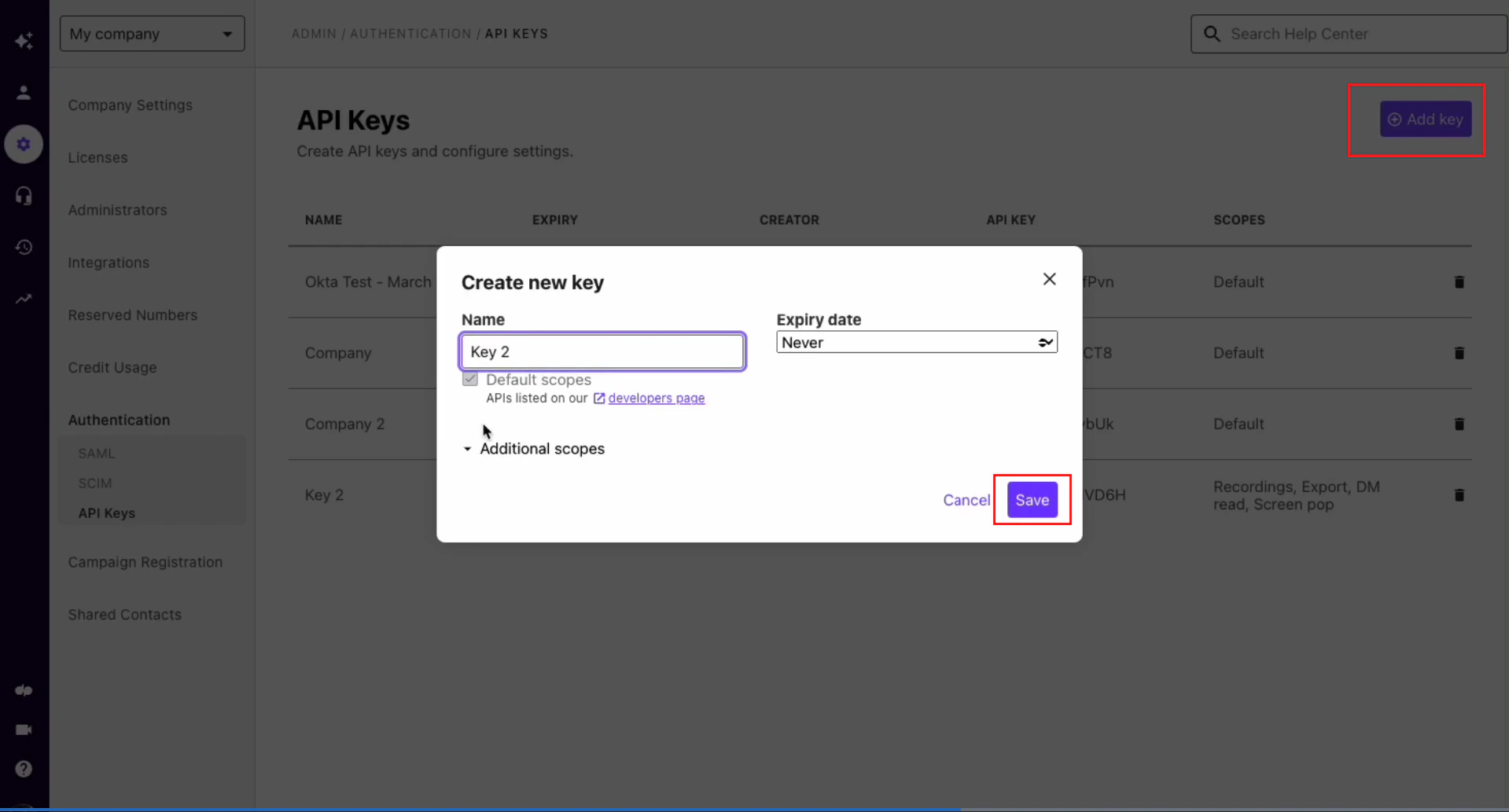
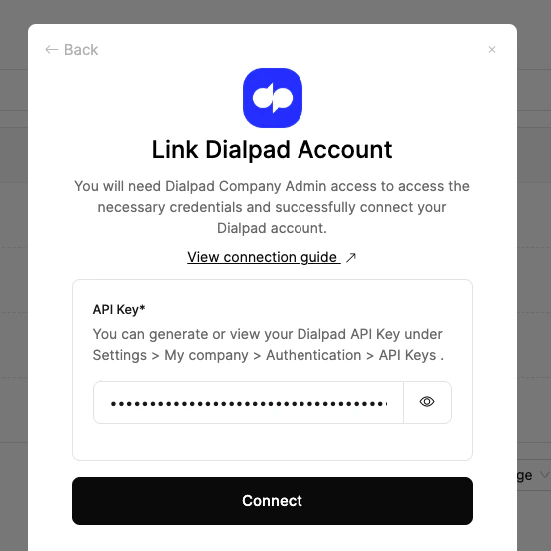
Connecting with StackOne
Available data
This integration has the following IAM Resources available from the provider:- Users
- Roles