The following guidance assumes you have Admin privileges for your Hibob account.

To Get External Trigger Token
1

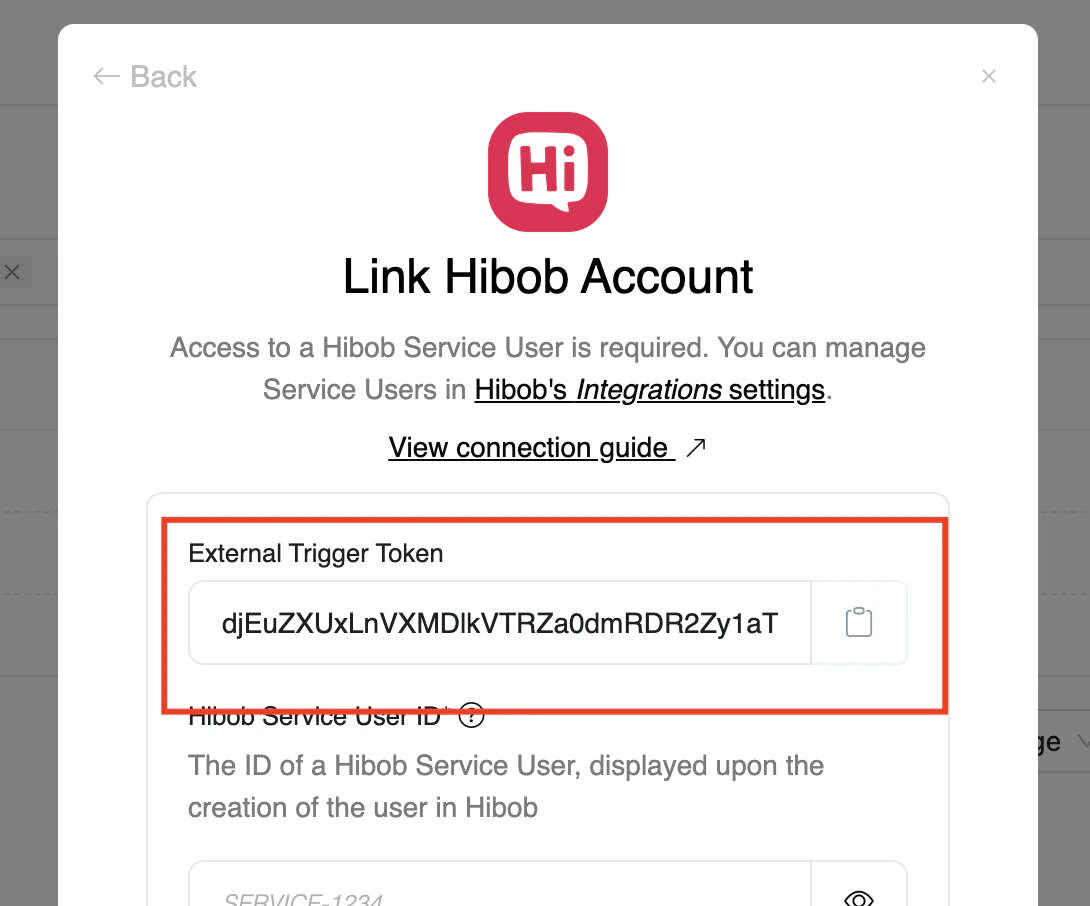
To get the External Trigger Token

From the StackOne hub, you will receive the External Trigger Token needed to enable the Hibob Time-off webhook.
Maintain Assessment Status

To enable Time-off Webhook events

1

Go to Integration

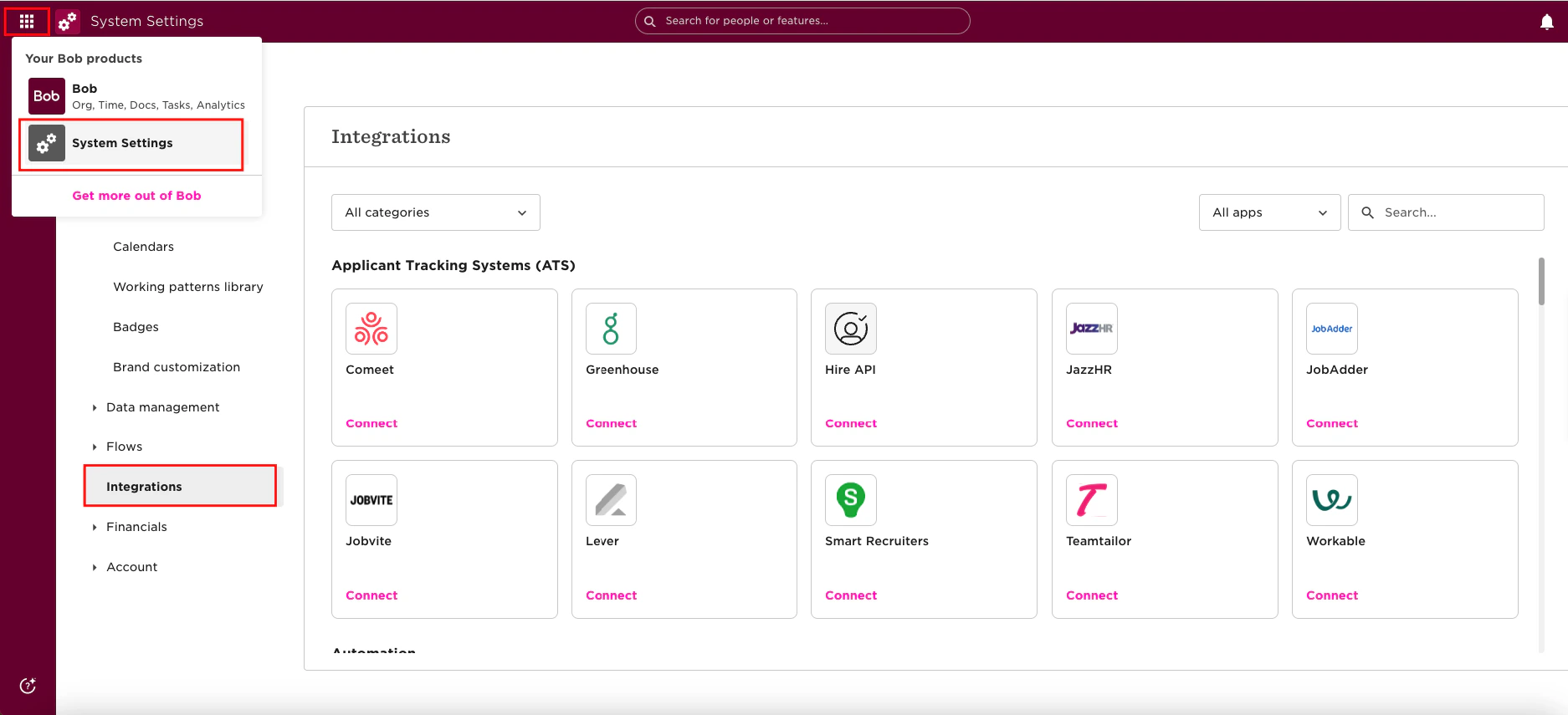
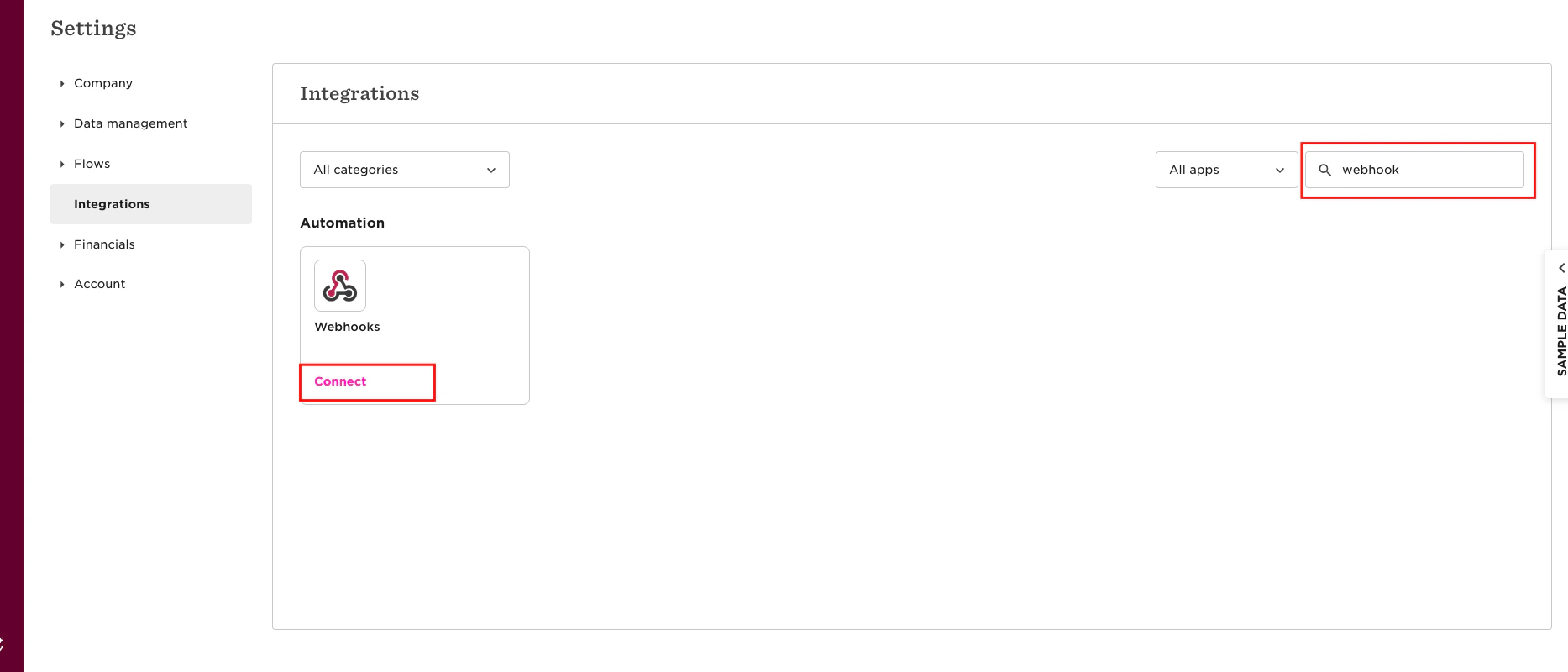
Please navigate to the Hibob Dashboard, click on Menu, select System Settings, and then click on Integrations.
Maintain Assessment Status
2

Enable the webhook

Search for the webhook in the search bar and click the Connect button.
Maintain Assessment Status
3

Add webhook

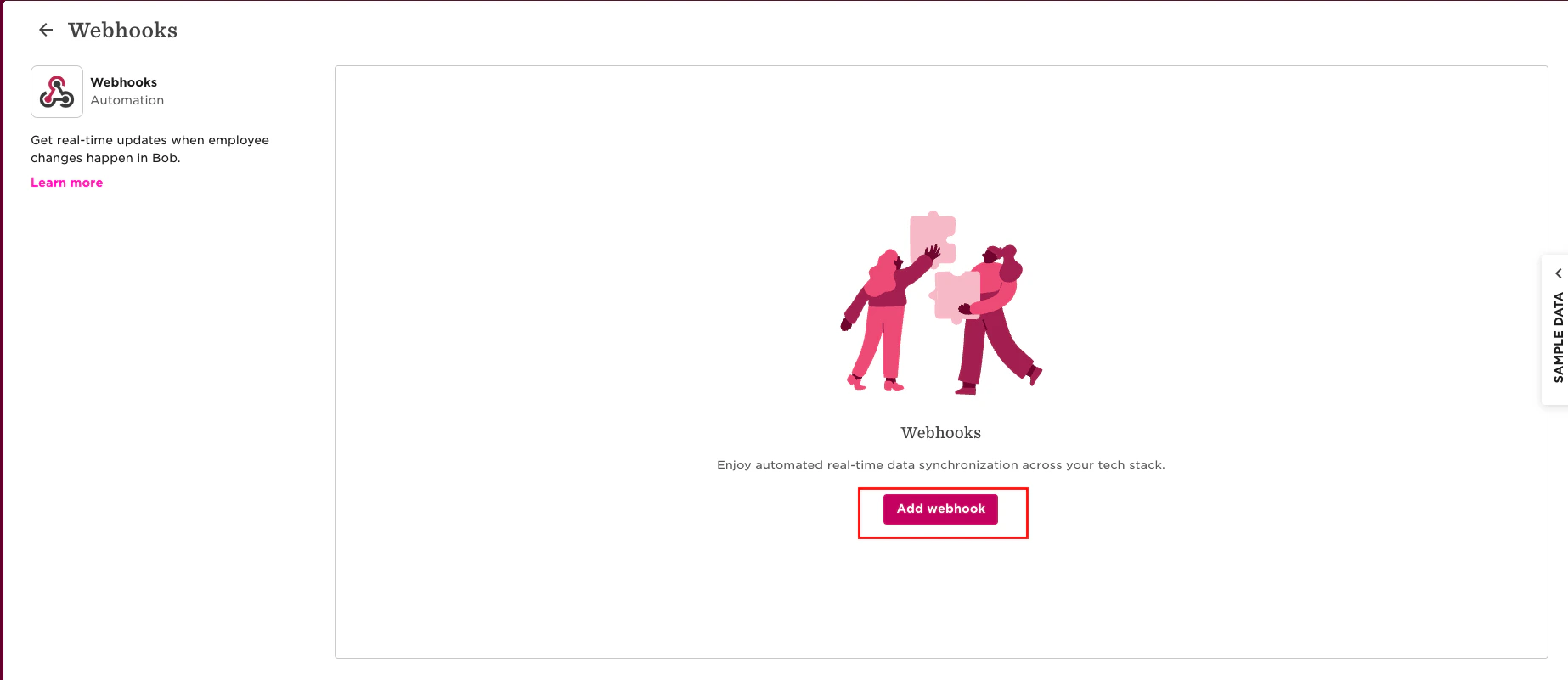
The following screen will appear as shown below. To add the webhook, click the Add Webhook button.
Maintain Assessment Status
4

Webhook Configurations

Please provide the required details to configure the webhook for time-off events:
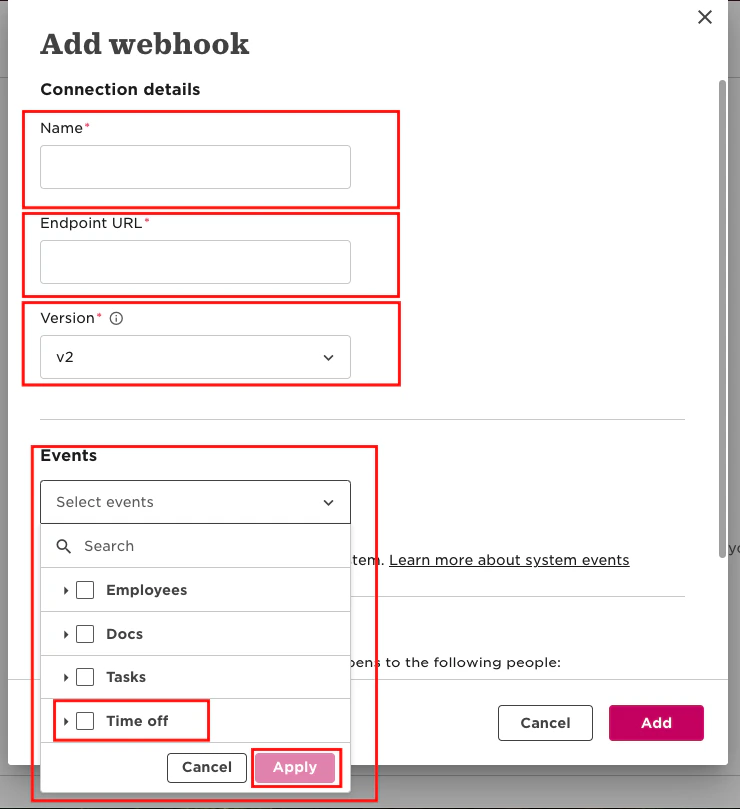
  • Name: Enter the webhook name.
  • Endpoint URL: Use the base URL provided by the partner and append your external trigger token from StackOne Hub as follows: https://api.stackone.com/external-trigger/hibob?externalTriggerToken=<Your_External_Trigger_Token>
  • Version: Select the webhook version.
  • Events: Choose the time-off event types.
Maintain Assessment Status
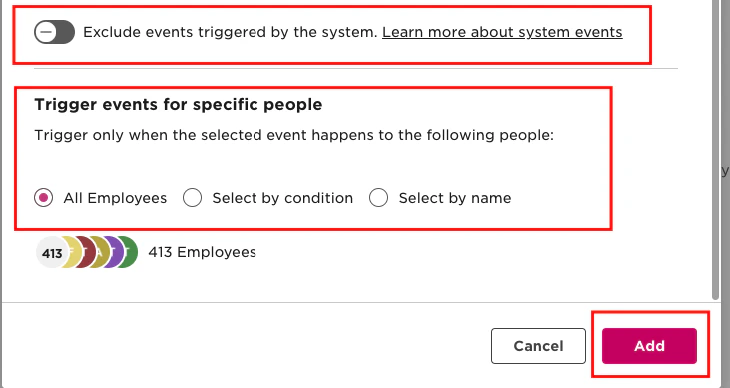
Check the Exclude Event checkbox if you don’t want to fetch system-triggered events. Select the people for triggering the event, then click the Add button.
Maintain Assessment Status
5

Webhook Connected

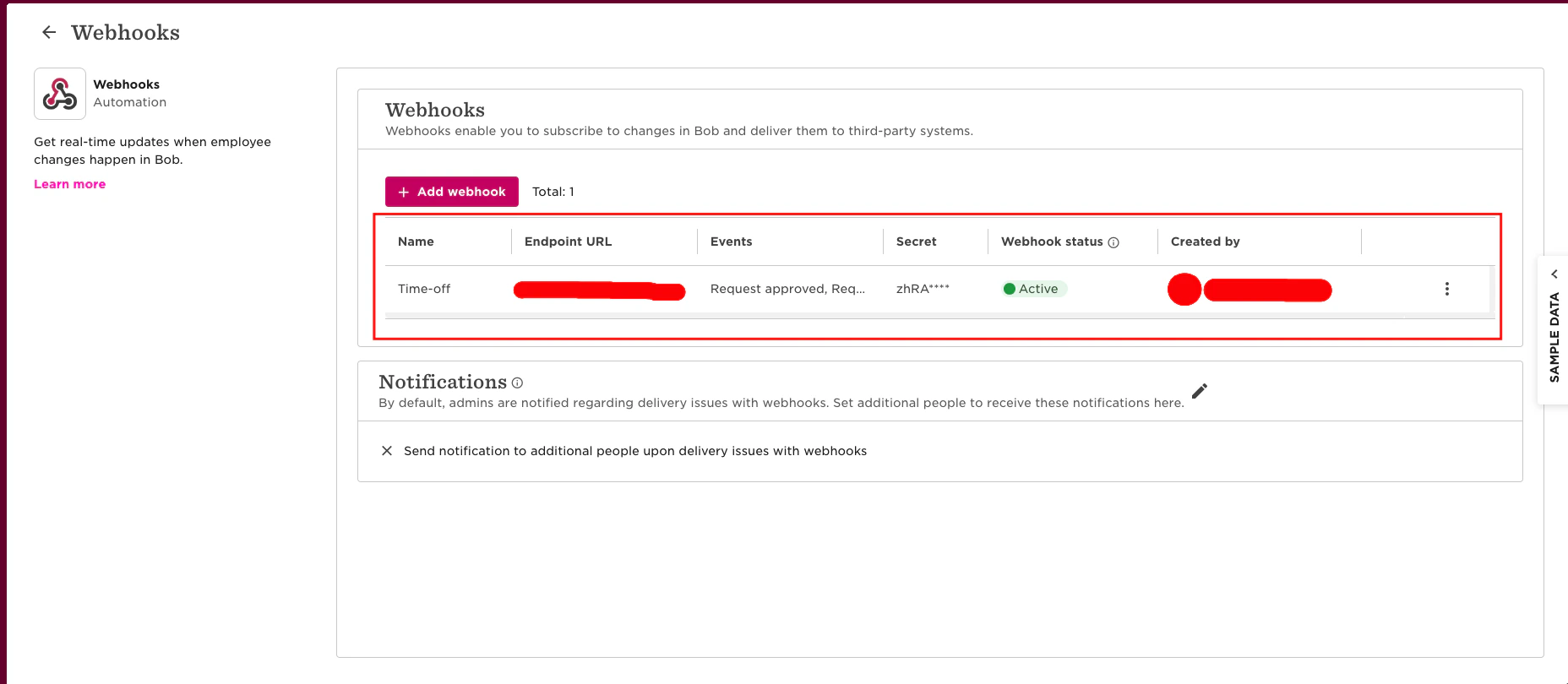
The following screen will appear as shown below once you have successfully configured the webhook.
Maintain Assessment Status